


USA TODAY: US & Breaking News
4.215.19K Reviews
App Specs
- Version
- 8.10.3
- Updated On
- License
- Free
- Downloads
- 5,000,000+
- Developer
- USA TODAY
- Categories
- News & Magazines
- Platform
- Android, iOS
Screenshots
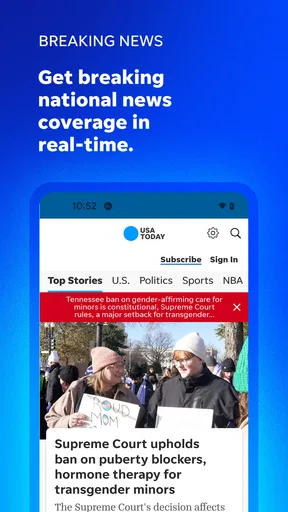
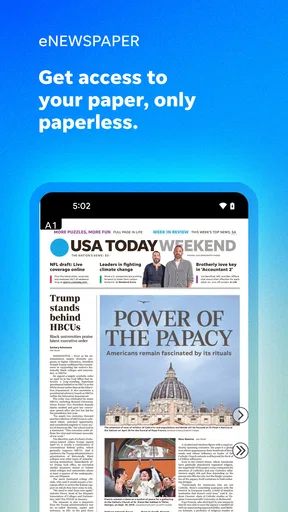


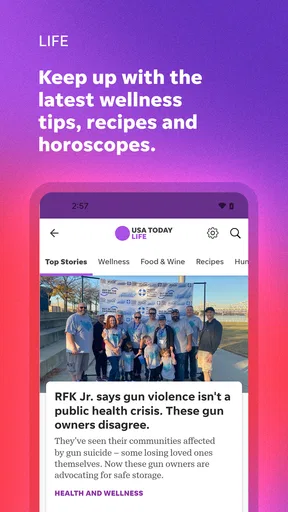

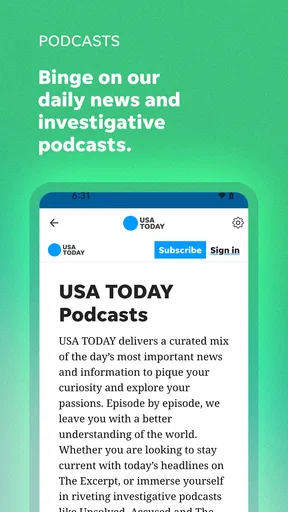

 Analysis by AppCompare
I tend to reach for a news app in the gaps of an ordinary day: while waiting for coffee, checking the weather before leaving, or trying to understand a major headline without opening a dozen tabs. USA TODAY: US & Breaking News is built for that kind of quick check-in. It brings a broad mix of coverage into one place, and I find it most useful when I want a convenient overview rather than a deep, highly specialized news desk.
When a news app feels harder than it should
News apps can be frustrating when an alert opens a story but leaves you unsure where to go next, or when a feed contains more subjects than you want to follow. My practical advice is to treat the first few minutes as a setup pass, not a test of whether the app is right for you. Browse the sections you care about, notice which stories feel relevant, and adjust the feed and notification choices before you settle into a routine.
That matters especially with a national outlet whose coverage can range from politics and business to sports, travel, and entertainment. Breadth is useful when a big story touches several areas, but it can also create a busy reading session if you expect every item to match your interests. I’d use the app as a general front page, then turn to a specialist source when I need sustained coverage of one subject.
Small setup checks that make a difference
If the feed feels noisy, I would first review the subjects I have chosen rather than assume the app needs a more complicated setup. Keep the topics that genuinely help you stay informed and remove the ones you only opened out of curiosity. A focused selection makes casual browsing easier and gives breaking alerts a better chance of feeling relevant.
Notifications are another place where a little restraint pays off. I’d begin with only the alerts I would actually stop what I’m doing to read. If every interruption starts to feel urgent, reduce the choices in settings and keep the app for deliberate check-ins instead. You can still open it when you have time; a phone does not need to announce every development for you to stay informed.
For reading comfort, it is worth checking text size and the dark appearance option early, especially if you read at night or prefer larger type. These are practical adjustments, not cosmetic extras: a comfortable screen makes it easier to finish an article rather than abandon it halfway through. I also like to test a saved story before I rely on it for a commute or a place with unreliable reception. Saving articles can help with offline reading, but it is sensible to prepare the pieces you want while you still have a connection.
Recovering your reading routine
When a story does not appear where you expect, I would return to the main feed and browse by subject before tapping around at random. News changes quickly, so a headline may move down the page as newer items arrive. Searching or revisiting a section, when available in the app, is a more orderly next step than repeatedly opening the same alert.
Worth Reading Before You Choose

Flipboard Shows What News Apps Must Do Beyond the Feed

Switching to Android Auto Means Rethinking Your Driving Routine

Google Calendar Makes a Crowded Week Easier to Manage

Ludo King Makes the Most of the Minutes Between Plans

Baby Panda World Brings Quick Play to Modern Phones, but Its Game Library Feels Busy

ESPN’s Live Game View Makes Following Close Games Easier
If pages seem slow, I would check the basics first: whether the connection is working, whether other apps can load content, and whether the app needs to be closed and reopened. Switching between Wi-Fi and mobile data can help identify whether the trouble is tied to the network. These simple checks are more useful than assuming every delay is a problem with the article or the app itself.
When another source may suit you better
This is not the app I would choose as my only source for a very local issue, a specialist beat, or a topic where I want extensive primary documents and expert analysis. A local newsroom may give more attention to a neighborhood decision, while a dedicated business, science, or sports publication can offer greater depth in its own area. I see USA TODAY as a broad daily companion, not a replacement for every source a curious reader might need.
It may also be the wrong fit if you want a completely quiet phone or prefer to build a reading list from several publishers in one place. In that case, a news aggregator can make comparison across outlets easier, though it may not give the same direct relationship with one newsroom’s coverage. The trade-off is simple: this app keeps the experience centered on USA TODAY, while an aggregator favors variety.
For a realistic routine, imagine checking headlines before work, opening one national story over breakfast, and saving another for a train ride. The app’s mix of articles and multimedia can make that short session more varied, while a saved piece can be useful when reception drops. I would still keep a second source for a story that affects a practical decision, such as a local disruption, because a broad national feed cannot be expected to cover every detail nearby.
Getting Started: First Impressions
The moment I opened the app, it greeted me with a clean, user-friendly interface. The layout is intuitive, with easy navigation that doesn’t make you feel like you’re trying to crack a secret code just to read the news. It’s like having a newspaper that fits right in your pocket, minus the ink on your fingers!
As someone who loves personalization, I was thrilled to see that you can customize your news feed. Want more sports updates? No problem. More entertainment news? Done. It’s like the app designers knew exactly what I needed before I even did.
News Categories and Coverage
One of the things I appreciate about USA TODAY: US & Breaking News is its extensive range of categories. From politics and business to tech and travel, there’s something for everyone. The app provides balanced and insightful articles that cover both national and international news. It’s comprehensive, yet not overwhelming, which is a fine line to walk.
I particularly enjoyed the interactive elements in some articles. There are videos, galleries, and even podcasts embedded, making the news consumption experience richer. It feels like you are not just reading news, but living through it.
Notifications: A Blessing or a Curse?
Now, let’s talk notifications. The app sends timely alerts to keep you updated with breaking news. I found this feature both useful and slightly annoying. It’s great to be informed, but when you’re getting alerts while trying to binge your favorite series, it can be a tad interruptive. Thankfully, you can tweak these notifications in the settings, so you choose what’s crucial for you.
Performance and Accessibility
On the performance front, the app runs smoothly without any noticeable lag. Whether you’re on WiFi or using data, the articles load efficiently. This is a huge plus for someone like me who’s always on the go.
In terms of accessibility, the app supports text resizing and has a dark mode option, which is a blessing for my late-night reading habit. These little features might not seem like much, but they really enhance the overall user experience.
Extra Features Worth Mentioning
Aside from the standard news fare, the app also includes some nifty extras. There’s a weather section that gives you real-time updates, which is pretty handy. I also stumbled upon the puzzles and games section. It’s a nice touch for those moments when you need a mental break from the news. It’s like the developers thought, "Hey, let’s make sure they don’t delete the app after reading something depressing!"
Another feature I found interesting is the ability to save articles for offline reading. This is a lifesaver for those moments when you’re stuck somewhere without a signal. You can catch up on the news without burning through your data.
Choosing it for your everyday reading
The app is free to download, though it offers in-app purchases ranging from $4.99 to $129.99 per item. That distinction is worth keeping in mind: installing it does not mean every possible purchase is included. I would start with the free experience and pay only if a specific option clearly suits the way I read. The app is developed by USA TODAY, has an average rating of 4.2 from around 58,000 ratings, and has been installed over 5 million times. Those figures suggest a well-used product, but they cannot tell you whether its mix of coverage suits your own habits.
It is rated Everyone 10+, runs on Android 8.0 or later, and the current version is 8.5.2. If you are deciding whether to install it on an older phone, checking the operating-system requirement first can save time. For someone choosing between a phone and a tablet, I would make the decision based on where short reading sessions fit best: the main appeal here is having a broad news source close at hand, not turning a device into a dedicated newsroom.
What to expect from a broad news source
One useful way to use a general-interest app is to separate headline scanning from full reading. I might skim the main feed for the shape of the day, then open only the two or three stories that affect my interests. That keeps a broad mix from becoming an endless scroll and makes the app feel more like a starting point than a demand to read everything.
Another trade-off is that multimedia can be engaging but may not suit every moment. If I’m in a quiet waiting room, reading is convenient; if I’m on a noisy commute, a video or podcast may be less practical than a short article. I would choose the format that fits the setting rather than assume every story is best consumed in the same way. When data use matters, I would also avoid opening media-heavy pieces casually until I know how they fit my plan.
Readers often wonder whether the app is useful without constant alerts, whether they can prepare for offline reading, and whether it can replace local or specialist news. My answer is that it can still work as a manual check-in if notifications are reduced, saved stories can help when a connection is unavailable if prepared beforehand, and it is best treated as one broad source rather than a complete substitute for every newsroom. If a page fails to load, I would check the connection and reopen the app before changing settings; if only one story is missing, I would look through its section rather than conclude the whole feed is broken.
For me, the strongest reason to keep a general news app is convenience, and the strongest reason to limit it is attention. A focused topic selection, a small number of alerts, and a habit of opening the app at chosen times make the experience more useful than leaving every setting untouched. The audience that benefits most is someone who wants a varied daily snapshot and occasional deeper reading. Anyone seeking only one niche, or who wants a single app to deliver exhaustive local reporting, will probably be happier pairing another source with it.
Final Thoughts
USA TODAY: US & Breaking News is more than just a news app; it’s a companion for anyone who wants to stay informed in our fast-paced world. It offers a broad spectrum of news that’s easy to digest and accessible at any time. While the notifications can sometimes feel a bit intrusive, the app’s overall functionality and the wealth of information it provides make it a worthy addition to your phone.
So, if you’re on the hunt for a reliable news source that fits seamlessly into your daily routine, give this app a whirl. Who knows, it might just become your go-to for all things news!
My practical verdict
I would recommend it to a reader who wants national and international headlines, varied subjects, and a convenient way to check in throughout the day. I would not rely on it alone for highly local developments or deep specialist reporting, and I would tune alerts rather than accept every interruption. Used with those expectations, it is a sensible free starting point for everyday news, with optional purchases to consider only if they match your needs.
Pros
- Comprehensive coverage of US news.
- User-friendly interface design.
- Customizable notifications for updates.
- Access to exclusive stories and analysis.
- Offline reading available.
Cons
- Limited international news coverage.
- Frequent ads in the free version.
- Occasional app crashes reported.
- Some features require a subscription.
- Video content may buffer slowly.
FAQs for USA TODAY: US & Breaking News
What is USA TODAY: US & Breaking News app?
USA TODAY: US & Breaking News is a comprehensive news app offering the latest in U.S. and global news. It provides users with breaking news alerts, in-depth articles, and multimedia content, including videos and photo galleries. The app is designed to keep users informed with real-time updates and a wide range of coverage areas.
Is USA TODAY: US & Breaking News app free to use?
Yes, the USA TODAY app is free to download and use. It offers a variety of content at no cost, though there might be some features or premium content that require a subscription. Users can enjoy a substantial amount of news coverage without any charges, making it accessible to a broad audience.
What features does the USA TODAY app offer?
The app offers a range of features, including personalized news feeds, real-time news alerts, and multimedia content such as videos and photo galleries. Users can customize their experience by selecting topics of interest and sharing articles across social media platforms. The app also includes interactive elements like polls and quizzes.
How frequently is the content updated on the USA TODAY app?
The USA TODAY app is updated continuously throughout the day, ensuring users receive the latest news as it happens. Breaking news alerts are sent in real-time, and the app's content is refreshed regularly to provide current information on various topics, from politics and sports to entertainment and technology.
Can I personalize my news feed in the USA TODAY app?
Yes, the USA TODAY app allows users to personalize their news feed. You can select your preferred topics and interests, ensuring that the news you receive is tailored to your preferences. This feature helps users stay informed about the subjects that matter most to them, enhancing the overall user experience.


